Divi Sensei Before After Slider GPL v2.2.2

11 People watching this product now!
GET NOTIFIED WHEN ITEM IS UPDATED
X

GET NOTIFIED WHEN ITEM IS UPDATED

E-mail : *

$2.84

Divi Sensei Before After Slider GPL –A good-looking and easily usable image comparison is a huge deal in many industries like artistry, cosmetics, automotive and many more.

Last Updated - 7 August 2025 @ 11:14 PM  » Changelog
Description

Description

Divi Sensei Before After Slider GPL

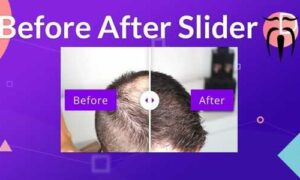
Divi Sensei Before After Slider GPL – is the module to compare images. A good-looking and easily usable image comparison is a huge deal in many industries like artistry, cosmetics, automotive and many more.

Divi Sensei Before After Slider GPL Overview:

What is the Before-After slider?

The Divi Sensei Before After Slider is THE module to compare images. A good-looking and easily usable image comparison is a huge deal in many industries like artistry, cosmetics, landscaping, automotive and many more.

Our Before After Slider allows you to compare two images by moving a divider either horizontally or vertically over the images. Perfect to show off your photo or video editing skills, makeup arts or to compare something before and after your services were applied.

Why Divi Sensei Modules are better than the rest

The Divi Sensei Before After Slider is probably the best image comparison module in the whole Divi ecosystem. Not only is the module is fully customizable, it is adding very little to zero impact on your website. Because unlike other third-party Divi plugins, when our module isn’t used on a page, no scripts or styles are loaded. If the module is added, it adds less than 20 kb of scripts and styles so it’s blazing fast so you won’t even notice a difference in page speed.

Divi Sensei Before After Slider GPL Features:

  • Compare images with each other
  • Display labels for each image. You can show the labels always or only on hover
  • Display an optional overlay on hover
  • Configure the colors of the slider, labels, overlay, text
  • Configure the initial starting position of the slider
  • Configure the direction (vertically or horizontally)
  • Customize the label text
  • Use custom image ALT texts for better SEO


Additional information

Additional information

. - Product type
. - License
. - Brands
. - Update1 YEAR UPDATES
Reviews (0)

Reviews

There are no reviews yet.

Only logged in customers who have purchased this product may leave a review.

Coupon

Use Coupon Code FLAT20 to get a 20% discount on all Items | Expiring APR 30th