


Description
Gravity Forms Autocomplete GPL
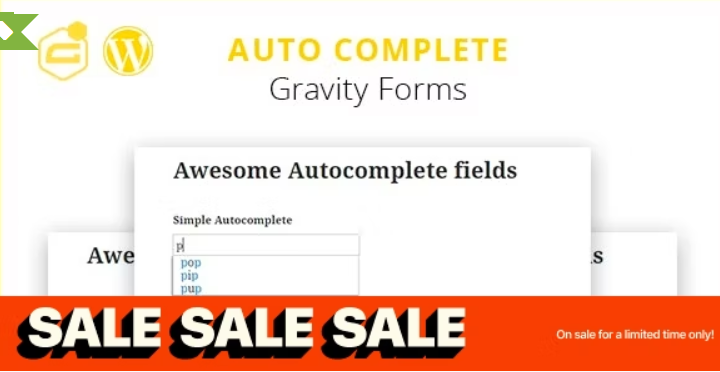
This plugin is an add-on for Gravity Forms that enables an autocomplete field feature. So it suggests possible completions for the field that the user has started typing in. Autocomplete simplifies and speeds up a form filling process and makes your users save time by finding necessary data with suggestions.
You must install this PRE-ACTIVATED plugin in order to addons to work. Even this is a free plugin it is were the pre-activation takes effect. ALL addons Here
Gravity Forms Autocomplete (+address field)
This plugin is an add-on for Gravity Forms that enables an autocomplete field feature. So it suggests possible completions for the field that the user has started typing in. Autocomplete simplifies and speeds up a form filling process and make your users save time by finding necessary data with suggestions.
Please note, you can choose a source for suggestions. And currently it supports several source’s types: ‘WordPress’, ‘ URL ’, ‘Manually’ and ‘Address’. Please fill free to advise us new source type and it’ll be added in a next release.
Please check the plugin demo here: GF Auto Complete Demo
How it works?
For example there is a form called “Test” and you’re going to add an autocomplete field to this form. You need just put the autocomplete field on the form.

When the field will be added, make double click on it to show the field’s settings. Choose “Manually” for “Where to Get Options?” setting and then a new setting “Enter Data for Autocomplete” will be shown. Lets put some data into it like on a screenshot below.
Please note, there is a checkbox “Allow adding new option”, tick it to let users adding new options to Autocomplete data on the frontend.
To save the new field in the form settings just press an “update form” button. After that the new field will appear on the frontend.
Please note, the new field has an “untitled” label because this is a default field label in Gravity Form. It can be changed easily in the field’s settings. Also the form should be added to some wordpress page like in a example above otherwise it will not be displayed on your website.
Where To Get Options?
Use this setting to set a source of the options (suggestions). Please note there are several types of source: ‘WordPress’, ‘URL (json)’ and ‘Manually’. Below each one will be described.
- The ‘Manually’ option is used when it’s required to set the options manually (like in an example above).
- The ‘WordPress’ option is for using of the different WordPress sources such as: users, pages, posts, categories and etc.
- The ‘URL (json)’ gets options for autocomplete using AJAX from an url which returns data in json format (like: value1, value2, value2 and etc.).
- The ‘Address’ gets options for autocomplete using the Google Places suggest API.
Please look at the screenshots where these options are in the setting.
If you choose the “WordPress” as source for your options, then the post title is used in the suggestion list. Please note: the post ID is saved in the entry data. If you want to save another post attribute instead (for example: post_title, post_name, etc. or save the a custom post field), it can be done using special plugin addon. Contact our support center to purchase that addon.
Additional information
| . - Compatible with | Gravity Forms |
|---|---|
| . - Product type | WP PLUGIN ADDON |
| . - License | GPL LICENSE |
| . - Brands | Gravity Forms |
| . - Update | 1 YEAR UPDATES |
Only logged in customers who have purchased this product may leave a review.
Best Sellers

STARTER MEMBERSHIP PLAN
Original price was: $85.67.$6.41Current price is: $6.41.










Reviews
There are no reviews yet.